
⇐ Back to the previous step |
Check successful - Continue to next step ⇒ |
Check:
- Configure all notification types in the Messenger settings.
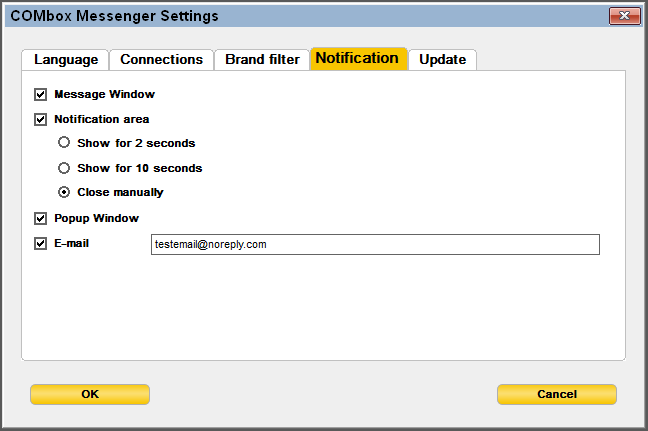
- IMT and Dealer must have an active business relationship. You can check if you have an active relationship by clicking in partslink24 on "Select and administer dealer" (as IMT) or "Administer buyers" (as Dealer) > search for the relevant dealer/IMT > click on the "Details" button of the dealer/IMT.
- Place test orders via partslink24 for each brand needed.
- The notifications show up on order arrival in pl24connect.
On the pl24connect workstation:
- Activate the desired notification method in the Messenger settings.
- Check if the Messenger is configured for the desired brand.
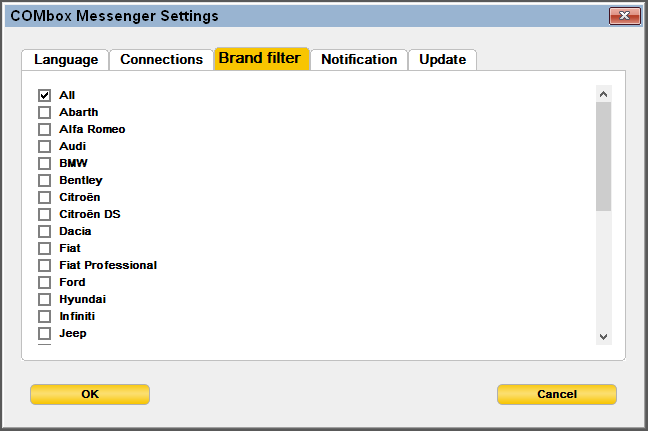
- Restart the Messenger.
⇐ Back to the previous step |
Check successful - Continue to next step ⇒ |