
⇐ Back to the previous step |
Check successful - Continue to next step ⇒ |
Check:
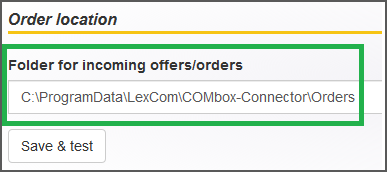
- Access the shared folder of the 24/7 system from another workstation. Look for the shared order form folder of the 24/7 system "C:\ProgramData\LexCom\COMbox-Connector\orders“ in the network.
-
Check the folder path in the COMbox settings at "Order transmission > Folder for incoming offers/orders".
On the COMbox 24/7 system:
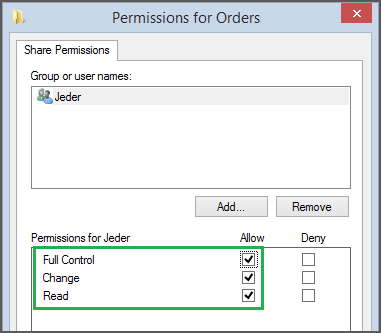
- Allow the folder to be shared in the network and check the file path (see "Check").
On the pl24connect workstation:
- Check the network connection to the shared folder.
- Ask the network administrator for assistance and if there are specific regulations concerning the network.
⇐ Back to the previous step |
Check successful - Continue to next step ⇒ |