
⇐ Back to the previous step |
Check successful - Continue to next step ⇒ |
Check:
- The Installation was completed without error messages.
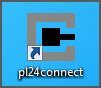
- pl24connect desktop icon was created.
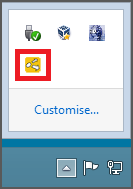
- Messenger icon appears in the Windows system tray.
On the pl24connect workstation:
- Check if the installing Windows user has administrative rights.
- Make sure that the following URLs are whitelisted by your antivirus software:
https://www.partslink24.com/partslink24/order/poi/poiCall.do
https://combox-relay.lex-com.net/combox-relay/connector/request
https://www.fgst.lex-com.net/secup/updates
https://www.fgst.lex-com.net/lex-ticket/ticket
http://update1.lex-com.net/ - Deactivate your antivirus software during the installation.
- Complete installation.
⇐ Back to the previous step |
Check successful - Continue to next step ⇒ |