
⇐ Back to the previous step |
Finished - Continue to additional solution steps ⇒ |
Check:
- Open the tab “Configuration” in pl24connect and click on the button “COMbox Messenger”.
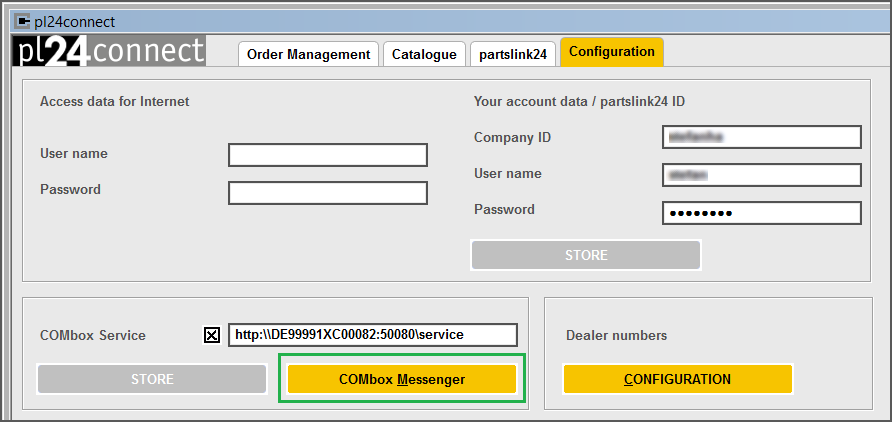
On the pl24connect workstation:
- Check if the Messenger is installed.
- Stop the Messenger using the task manager and then start it via pl24connect (tab "Configuration").
⇐ Back to the previous step |
Finished - Continue to additional solution steps ⇒ |