
⇐ Back to the previous step |
Check successful - Continue to next step ⇒ |
Check:
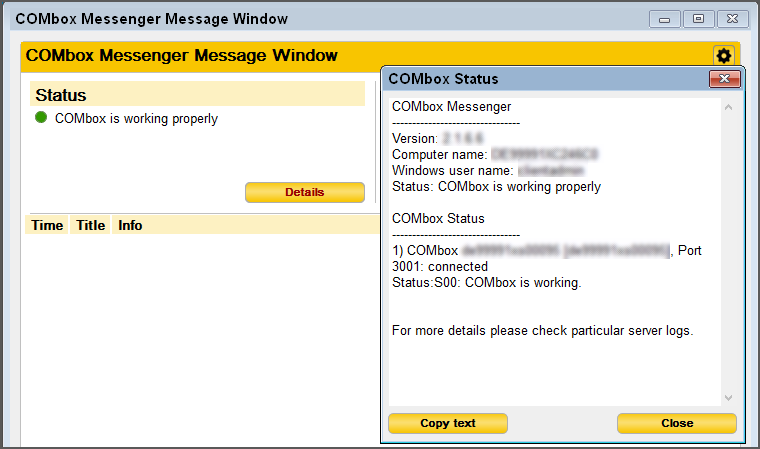
- Messenger Status is green.
- The status displays the correct computer name of the 24/7 system when clicking on "Details".
On the pl24connect workstation:
- Check if on the workstation’s firewall the TCP/UDP port 3001 inbound/outbound is marked as an exception.
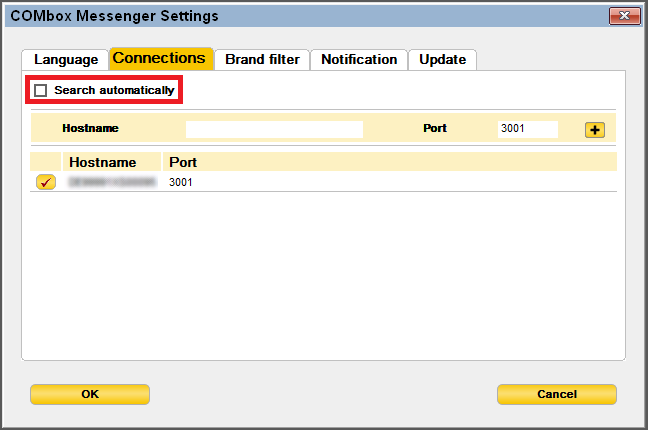
- Check if a wrong connection was manually configured in the Messenger. It is recommended to use the option "Search automatically".
- Restart the Messenger.
On the COMbox 24/7 system:
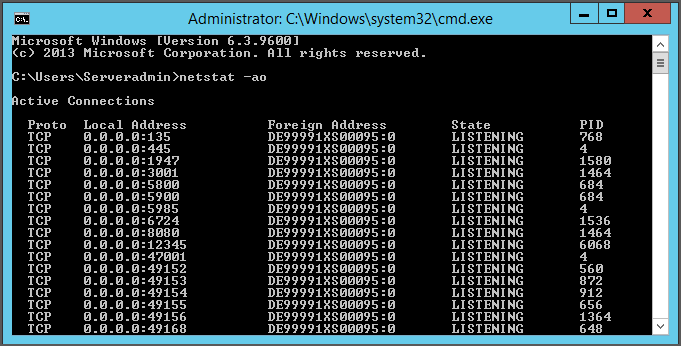
- Check if the port 50080 is occupied by another program: Stop the COMbox service in the Windows services window, open the command prompt (cmd) and enter “netstat -ao”. If the port is listed there even if the COMbox service is stopped, it is occupied.
- Check if in the firewall of the 24/7 system the port 3001 inbound/outbound TCP/UDP is unblocked.
- Check the COMbox status.
⇐ Back to the previous step |
Check successful - Continue to next step ⇒ |